
Smart Product Management
Edit on GitHubSmart Product Management enables Back Office users to use AI assistance for product content management. AI can translate product information between locales and improve existing content for clarity, completeness, and quality.
Key capabilities
- Translate content: Generate translations for product names and descriptions from any source locale into other configured locales
- Improve content: Enhance existing product descriptions for better clarity, completeness, and customer engagement
- Review before apply: All AI-generated content appears in the form for review before saving, preventing accidental overwrites
Supported fields
AI assistance is available for:
- Name (abstract and concrete products)
- Description (abstract and concrete products)
Translations and improvements appear directly in the product edit form, making it faster to manage product content.
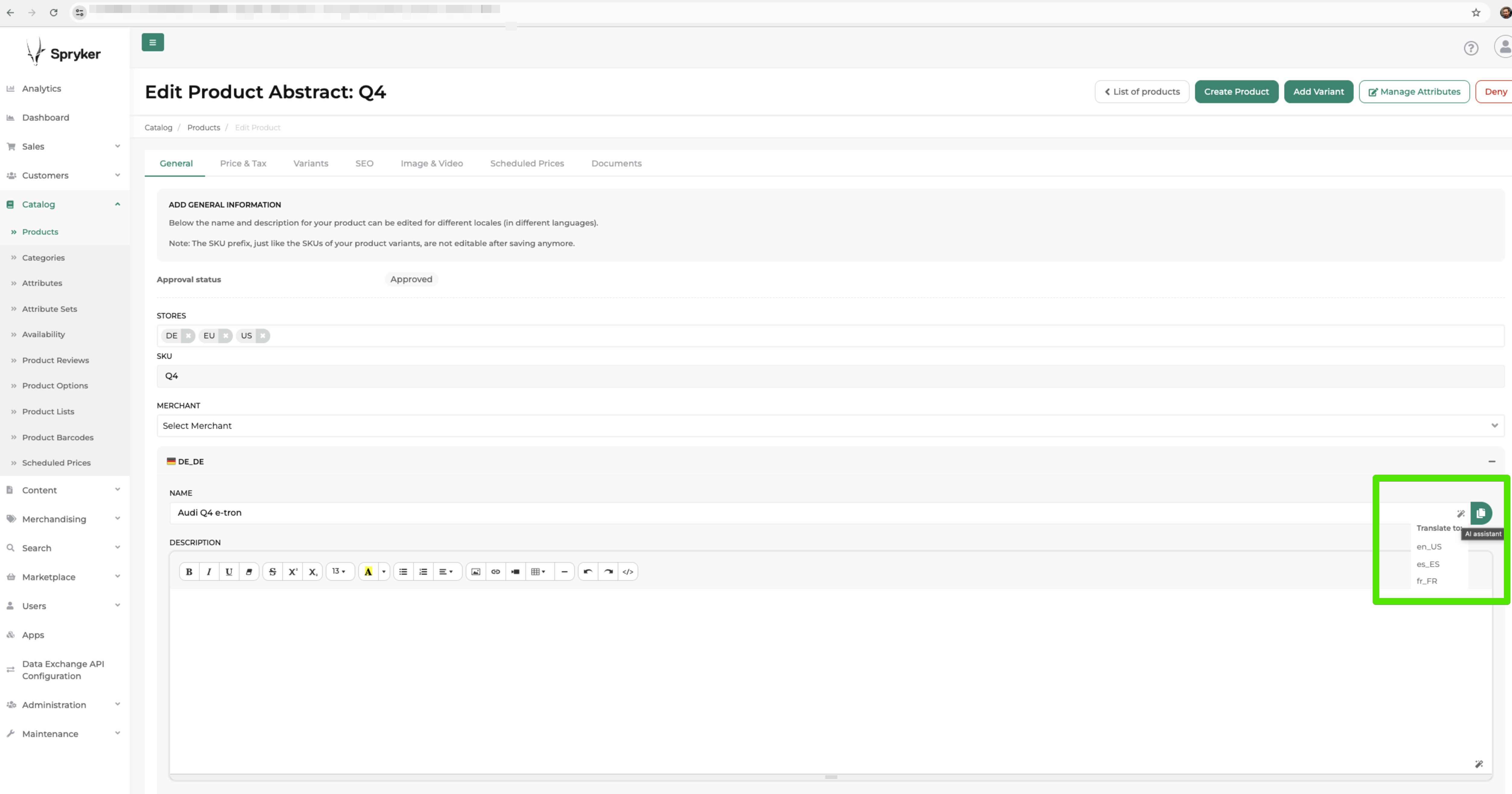
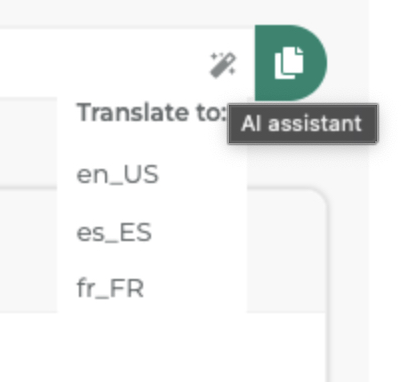
Translate content using AI
AI can translate product names and descriptions from a source locale to any other configured locale:
- In the Back Office, go to Catalog > Products.
- Click Edit next to a product to open Edit Product Abstract or Edit Product Concrete page.
- Select the target locale you want to translate into.
- Next to the Name or Description field, click the AI translate icon.
- The AI generates a translation from the default locale (for example, en_US) and fills the target locale field.
- Review the translated content for accuracy.
- Click Save to apply the translation.
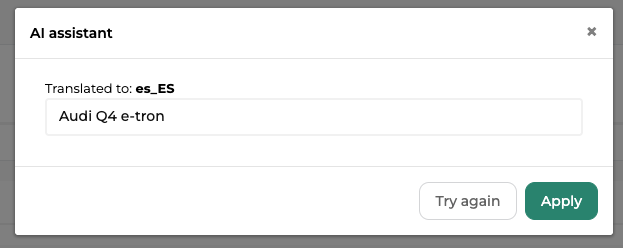
Always review AI-generated translations for accuracy, tone, and context before saving. AI translations may require adjustments for technical terminology, brand voice, or cultural nuances.
Improve content using AI
AI can enhance existing product descriptions to make them more complete, clear, and engaging:
- In the Back Office, go to Catalog > Products.
- Click Edit next to a product to open Edit Product Abstract or Edit Product Concrete page.
- Next to the Description field, click the AI improve icon.
- The AI analyzes the current description and generates an improved version.
- Review the improved content.
- Click Save to apply the improvements, or manually edit further before saving.
What AI improves:
- Clarity: Rewrites unclear or complex sentences
- Completeness: Adds relevant details that may be missing
- Structure: Organizes information logically
- Engagement: Enhances readability and appeal to customers
AI-improved content maintains the core information but may change phrasing, structure, or emphasis. Always review to ensure the content aligns with your brand voice and technical accuracy requirements.
Install
Thank you!
For submitting the form