
Buy Box feature overview
Edit on GitHubThe Buy Box feature displays multiple merchant offers for the same product on the product detail page in a marketplace environment. When multiple merchants sell the same product, the Buy Box shows all available offers. This lets you compare prices and availability and select the merchant you want to purchase from.
Buy Box display
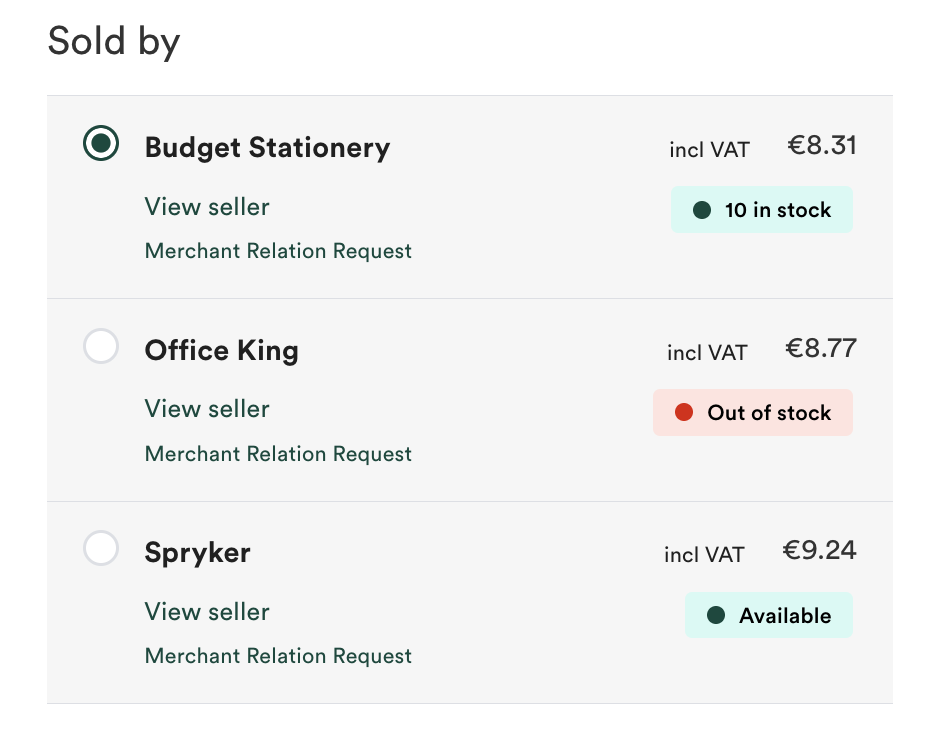
The Buy Box appears on the product detail page and presents merchant offers in a structured list.
Merchant offer information
Each offer in the Buy Box displays the following information:
- Merchant name with a link to the merchant profile page
- Product price offered by the merchant
- Radio button for merchant selection
- Availability status (when the Product Availability Display feature is installed)
Merchant selection
You select your preferred merchant using radio buttons. Only one merchant can be selected at a time. When you add the product to the cart, the selected merchant’s offer is added.
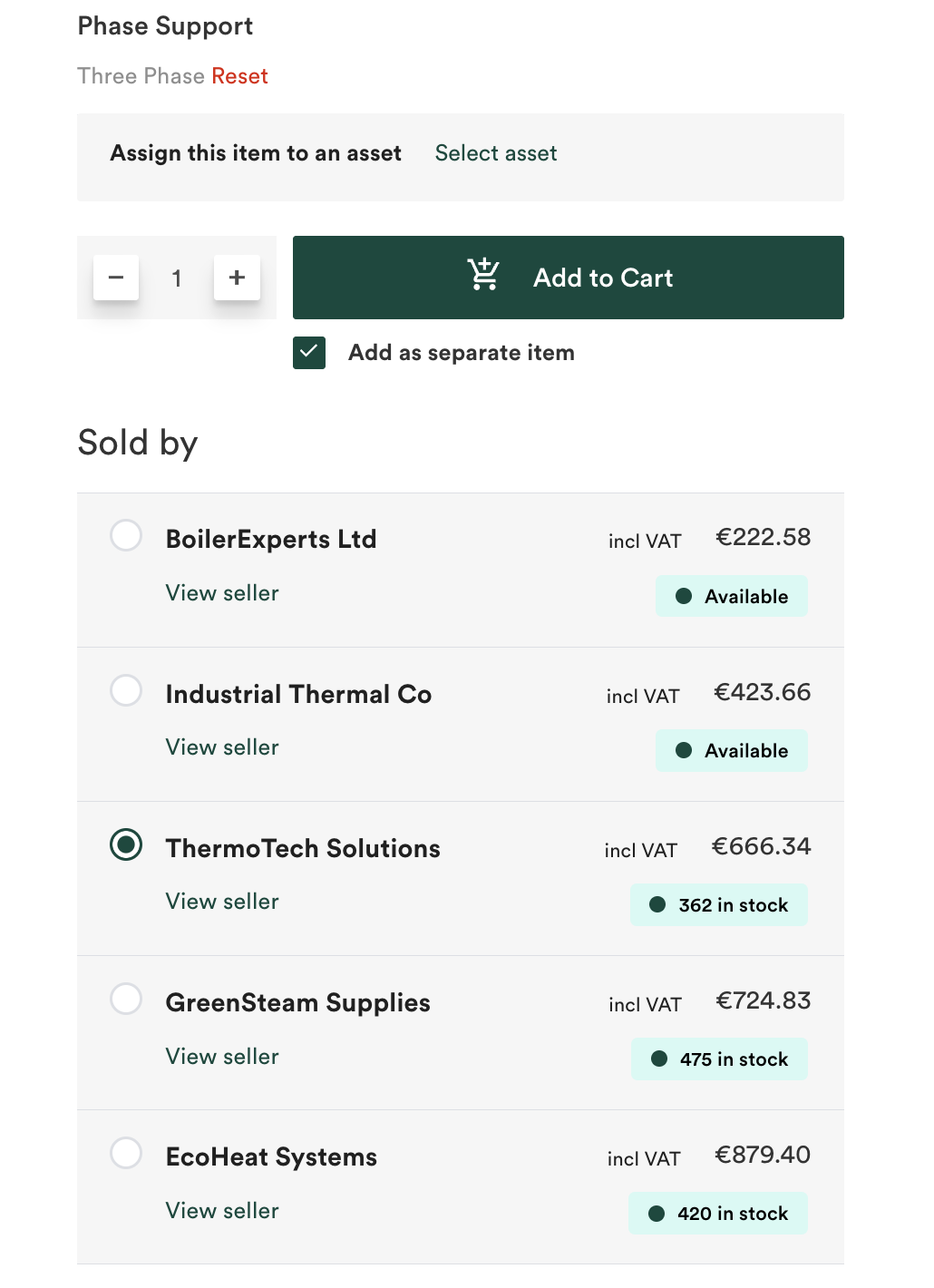
The first offer in the list is selected by default. The default selection depends on the configured sorting strategy.
URL-based merchant selection
The Buy Box supports URL parameters that let you preselect a specific merchant offer. When the URL contains a merchant selection parameter, the corresponding offer is selected instead of the default offer.
Sorting strategies
You can sort offers in the Buy Box by the following criteria:
- Price: Lowest to highest (default)
- Stock availability: Highest to lowest stock quantity (requires the Product Availability Display feature)
When you sort by stock availability, merchants marked as never out of stock appear first, followed by merchants with the highest stock quantities.
The sorting strategy determines which offer is pre-selected by default when customers first view the product page.
Integration with Product Availability Display
When the Product Availability Display feature is installed, the Buy Box shows availability information for each merchant offer. This lets you compare prices and stock availability across merchants.
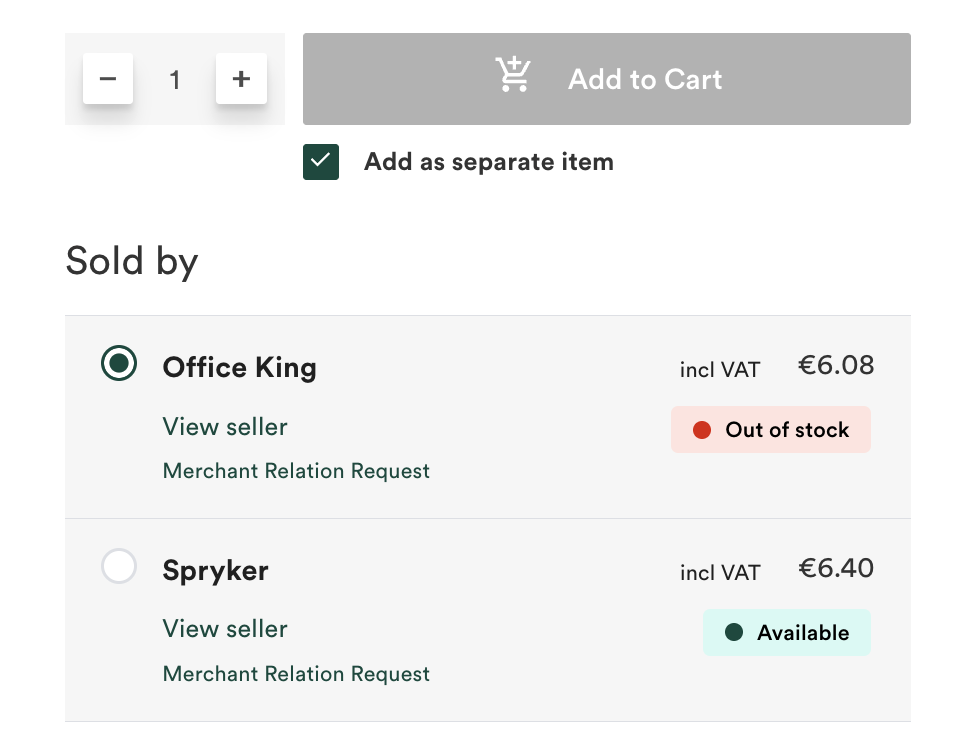
For details about availability display, see Product Availability Display feature overview.
Configuration
You can configure the Buy Box feature at the code level. The following configuration options are available:
- Sorting strategy: by price or by stock availability
- Render conditions: plugins that determine whether the Buy Box is rendered for a given product
For configuration details, see Install the Buy Box feature.
Render conditions
The Buy Box supports render condition plugins that determine whether it is displayed for a given product. When any registered condition is not satisfied, the Buy Box is not rendered for the product.
For example, you can register ConfigurableProductBuyBoxRenderConditionPlugin to prevent the Buy Box from being rendered for configurable products. For details, see Install the Buy Box feature.
Use cases
Use the Buy Box feature in the following scenarios:
- Multiple merchants sell the same product in a marketplace
- Customers need to compare offers from different merchants
- Merchant selection should be visible and explicit on the product page
Current constraints
- Merchant ratings or reviews are not displayed within the Buy Box. Links to merchant profiles are provided.
- Offers cannot be filtered based on shipping location, delivery time, or other criteria.
- Shipping costs per merchant are not shown.
- The feature does not provide offer recommendations based on customer preferences or purchase history.
Related documents
Thank you!
For submitting the form