
Product Attachments overview
Edit on GitHubThe Product Attachments feature lets you add external links to product-related resources—such as PDFs, manuals, or datasheets—directly to abstract products in the Back Office. Customers can access these resources in the Downloads section on the product details page (PDP). This feature is useful in B2B scenarios where technical documentation or compliance certificates support purchasing decisions.
Back Office management
In the Back Office, the Images tab in the product management form is renamed to Media. The Media tab includes a new Attachments section.
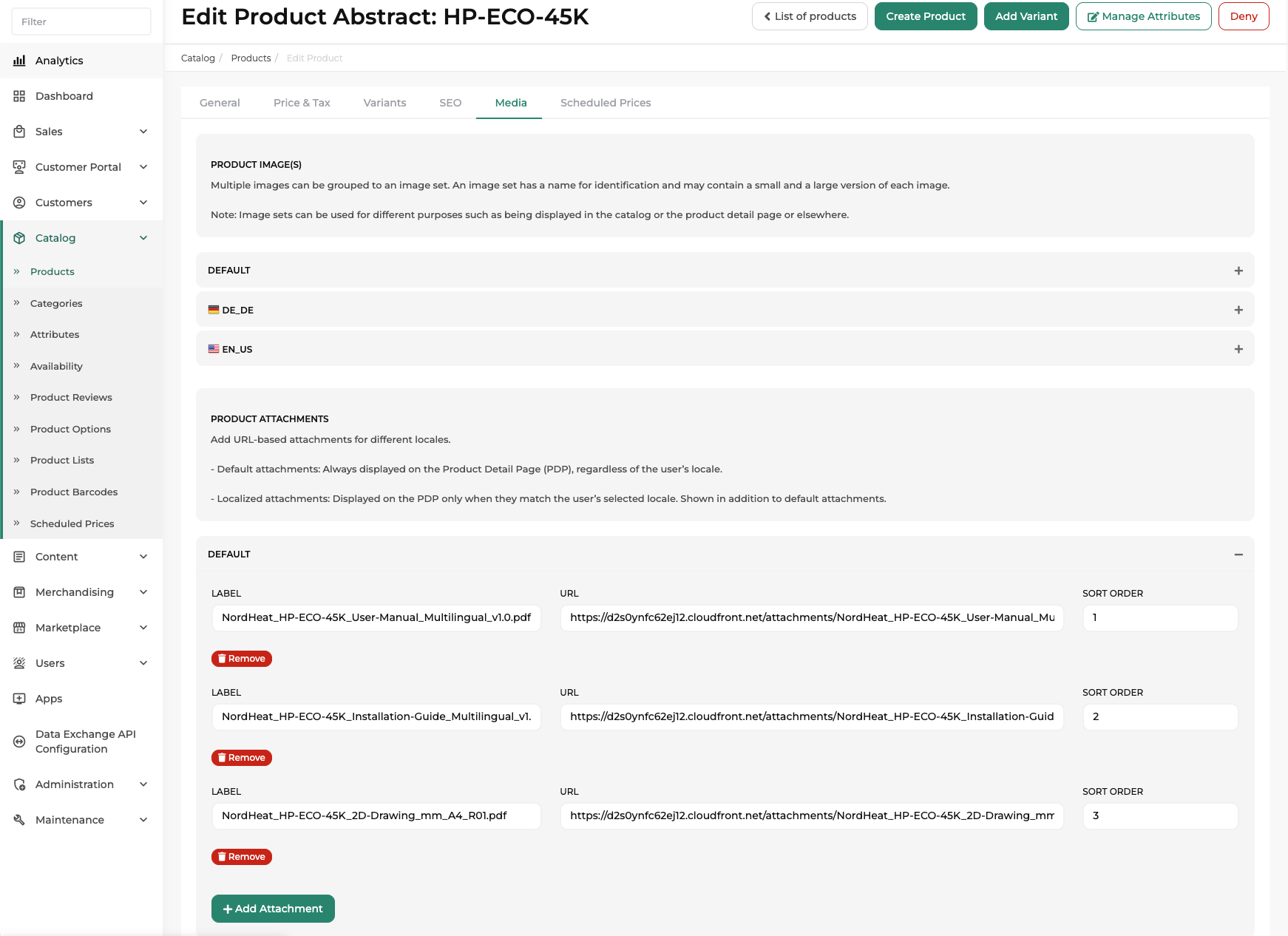 Back Office: Media tab with the Attachments section for an abstract product
Adding attachments
For each attachment, you can configure the following fields:
| Field | Description |
|---|---|
| URL | The external link to the attachment resource—for example, a PDF hosted on a CDN. |
| Label | The display name shown to customers in the Downloads section on the PDP. |
| Sort Order | Determines the display order of attachments. Lower values are displayed first. |
Default attachments
Default attachments:
- Are always displayed on the PDP.
- Apply to all related concrete products.
- Are visible regardless of the storefront user’s locale.
Use default attachments for general documentation that applies to all markets, such as global data sheets or universal manuals.
Locale-specific attachments
Locale-specific attachments:
- Are displayed only when they match the storefront user’s selected locale.
- Are shown in addition to default attachments.
- Allow you to provide market-specific or language-specific documentation.
If default and locale-specific attachments have the same sort order value, locale-specific attachments are displayed first.
Bulk attachments via data import
If you need to assign multiple attachments to multiple abstract products at the same time, use data import.
Data import supports bulk creation and assignment of attachments, allowing you to:
- Attach documents to many products in one step.
- Maintain large document sets efficiently.
- Synchronize attachments from external systems.
This is especially useful for large B2B catalogs with extensive technical documentation.
Display on the Storefront Product Detail Page (PDP)
The Downloads section on the PDP presents all applicable attachments to the customer.
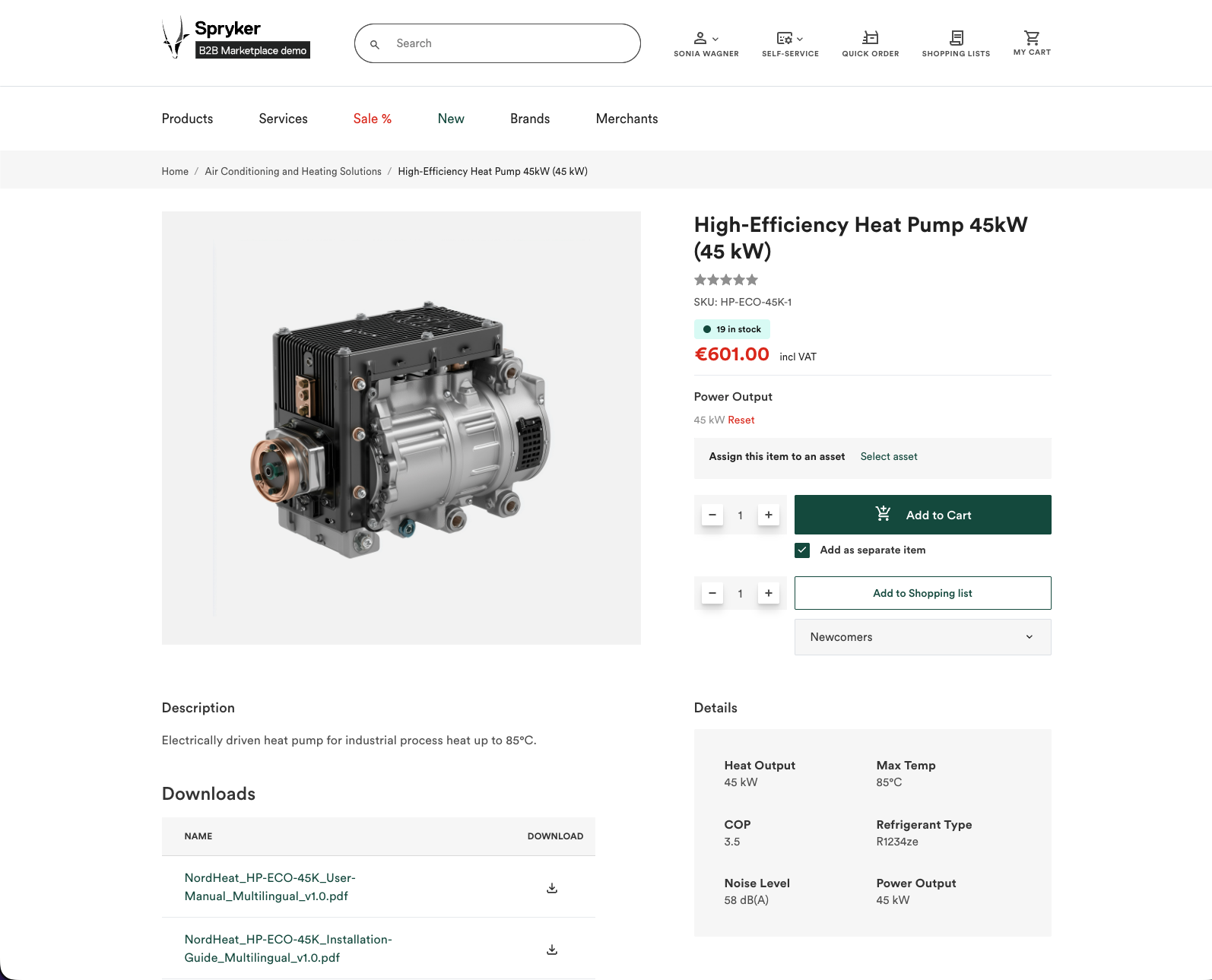 Storefront: Downloads section on the product details page showing attachments
Downloads section
If at least one attachment exists, the PDP displays a Downloads section. Each attachment includes:
- A localized label (clickable).
- A link to download or view the attachment.
If no attachments exist for a product, the Downloads section is not displayed.
Visibility
Attachments on the PDP:
- Are visible to guest and logged-in users.
- Reflect the storefront locale automatically.
| BACK OFFICE USER GUIDES | DEVELOPER GUIDES |
|---|---|
| Create abstract products and product bundles | Install the Product Attachments feature |
Thank you!
For submitting the form